Cad#
Geometric geometric_forms#
Geometric Forms#
This module contains functions to generate and manipulate basic geometric forms using PyVista. These forms can be used for visualization and analysis in various engineering and physics simulations. The functions in this module provide simple representations of common mechanical components such as control arms, tubes, cylinders, spheres, springs, and other structures.
Each function creates geometric shapes by connecting specified points in 3D space, allowing users to model complex systems efficiently. These forms can be used to build assemblies or test various configurations, making them useful for mechanical simulations, 3D modeling, and CAD systems.
The generated shapes are returned as pv.MultiBlock objects, which allow for efficient handling and visualization of multiple geometric forms in a single structure.
These functions provide an easy way to generate basic geometric components for more complex 3D models.
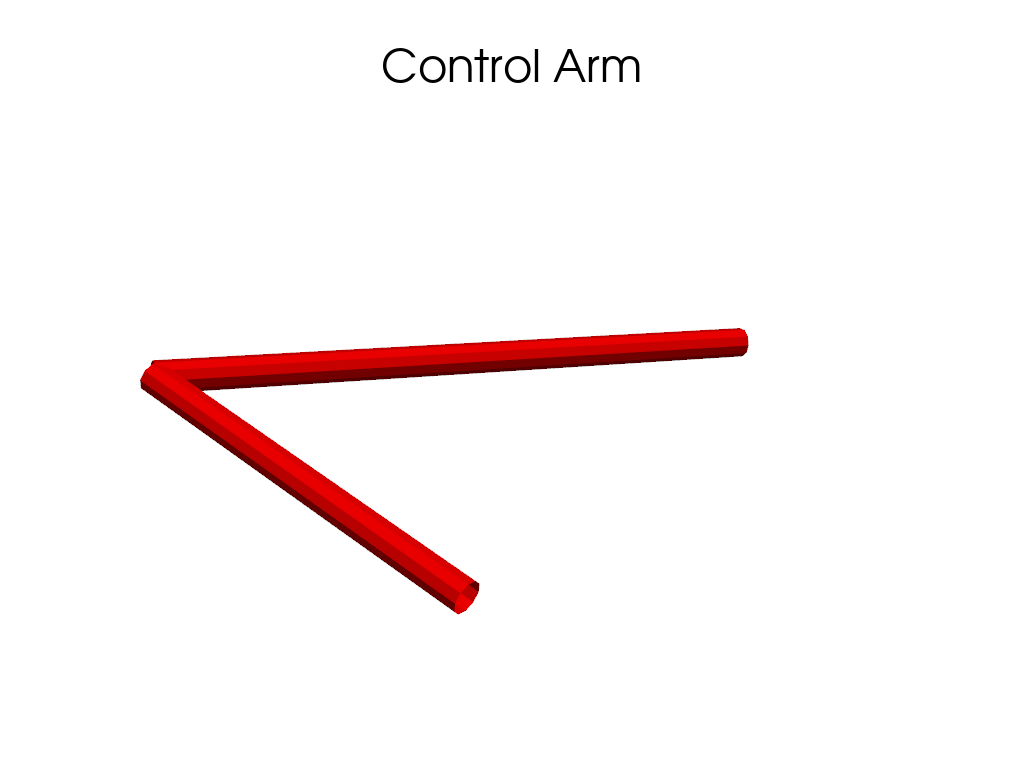
- pymycar.Cad.geometric_forms.control_arm(point_a, point_b, common_point, radius=10, resolution=100, n_sides=10)[source]#
Generate a control arm (V-shape structure).
- Parameters:
- point_aarray-like
Coordinates of the first base point of the control arm.
- point_barray-like
Coordinates of the second base point of the control arm.
- common_pointarray-like
Coordinates of the common apex point of the control arm.
- radiusfloat, optional
Radius of the Tubes, by default 10.
- resolutionint, optional
Resolution of the Tubes, by default 100.
- n_sidesint, optional
Number of sides of the Tubes, by default 10.
- Returns:
- pv.MultiBlock
MultiBlock containing two Tubes representing the control arm.
Notes
The control arm is formed by two Tubes connecting the base points to the common apex point.
Examples
Create a control arm mapping between three coordinates and show it using PyVista.
>>> import numpy as np
>>> import pyvista as pv
>>> from pymycar.Cad import control_arm
>>> a = control_arm(np.array([586.7, -314.5, 199.9]), np.array([930.7, -230.2, 244.2]), np.array([953.0, -474.2, 272.2]), radius=10, resolution=100, n_sides=10)
>>> plotter = pv.Plotter()
>>> plotter.add_mesh(a, color='red', name="Control Arm")
>>> plotter.add_title("Control Arm")
>>> plotter.show()
- pymycar.Cad.geometric_forms.cylinder_from_two_points(center, point_a, point_b, height, radius)[source]#
Create a PyVista cylinder whose direction is defined by two points.
- Parameters:
- centerarray-like
Cylinder center [x, y, z].
- point_aarray-like
First point defining the direction.
- point_barray-like
Second point defining the direction.
- heightfloat
Cylinder height.
- radiusfloat
Cylinder radius.
- Returns:
- pyvista.PolyData
Cylinder mesh.
- pymycar.Cad.geometric_forms.dashed_line(point_a, point_b, n_dashes=100)[source]#
Create a dashed 3D line between two points using line segments.
- pymycar.Cad.geometric_forms.dashed_tube(point_a, point_b, radius=5, n_dashes=10, duty_cycle=0.5)[source]#
Create a dashed tube between two points using multiple short tube segments.
- Parameters:
- point_aarray-like
- point_barray-like
- radiusfloat
- n_dashesint
Number of visible dash segments.
- duty_cyclefloat
Fraction of each dash period that is “on”.
- pymycar.Cad.geometric_forms.rectangle_U(base_a, base_b, point_a, point_b, radius=10, resolution=100, n_sides=10)[source]#
Generate a U-shaped rectangular control arm using three tubes.
- Parameters:
- base_aarray-like
Coordinates of the first base point of the control arm.
- base_barray-like
Coordinates of the second base point of the control arm.
- point_aarray-like
Coordinates of the extended point connecting to base_a.
- point_barray-like
Coordinates of the extended point connecting to base_b.
- radiusfloat, optional
Radius of the tubes, by default 10.
- resolutionint, optional
Resolution of the tubes, by default 100.
- n_sidesint, optional
Number of sides of the tubes, by default 10.
- Returns:
- pv.MultiBlock
MultiBlock containing three tubes representing the U-shaped control arm.
Notes
The control arm is formed by two tubes connecting the base points to their respective extended points, and a third tube connecting the two extended points. This forms a U-shaped rectangular structure.
- pymycar.Cad.geometric_forms.rocked(pivot, point_a, point_b)[source]#
Generate a structure with tubes connecting various points.
- Parameters:
- pivotarray-like
Coordinates of the central pivot point.
- point_aarray-like
Coordinates of the first connecting point.
- point_barray-like
Coordinates of the second connecting point.
- Returns:
- pv.MultiBlock
MultiBlock containing three Tubes representing the structure.
Notes
The structure is formed by three Tubes connecting various points.
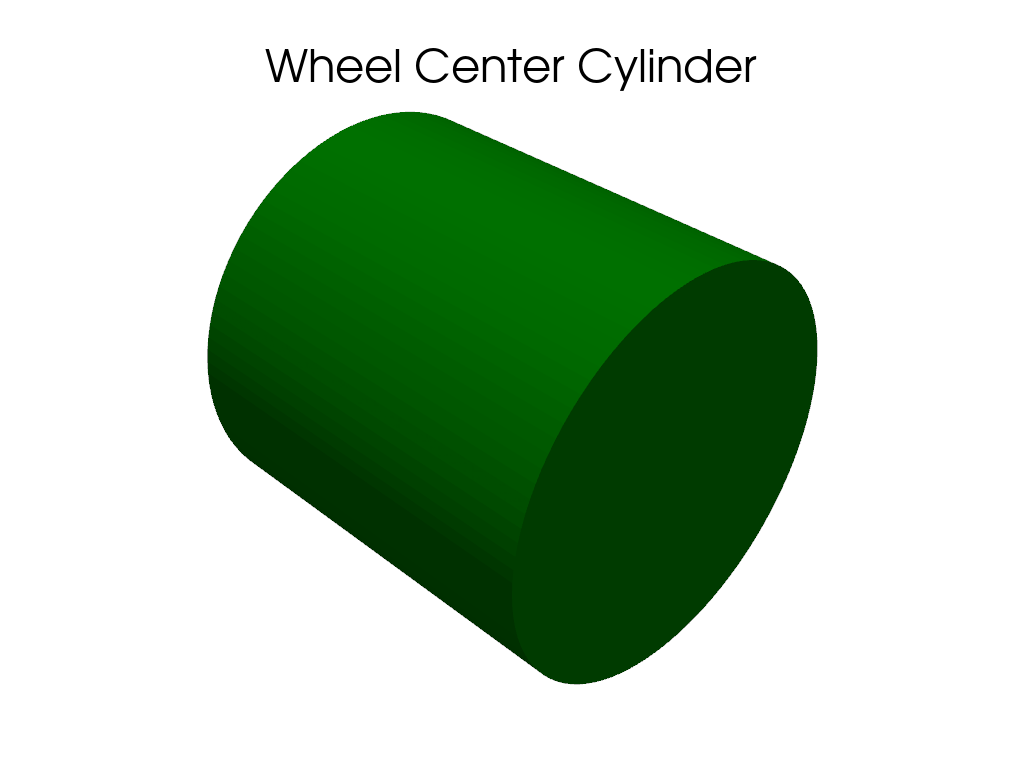
- pymycar.Cad.geometric_forms.simple_cylinder(center, height, radius)[source]#
Generate a simple cylinder.
- Parameters:
- centerarray-like
Coordinates of the center of the cylinder.
- heightfloat
Height of the cylinder.
- radiusfloat
Radius of the cylinder.
- Returns:
- pv.MultiBlock
MultiBlock containing a Cylinder representing the simple cylinder.
Notes
The simple cylinder is a Cylinder centered at the specified point with the given height and radius.
Examples
Create a cylinder at a specific coordinate and show it using PyVista.
>>> import numpy as np
>>> import pyvista as pv
>>> from pymycar.Cad import simple_cylinder
>>> b = simple_cylinder(np.array([941.5, -580.2, 155.1]), height=10, radius=5)
>>> plotter = pv.Plotter()
>>> plotter.add_mesh(b, color='green', name="Wheel Center Cylinder")
>>> plotter.add_title("Wheel Center Cylinder")
>>> plotter.show()
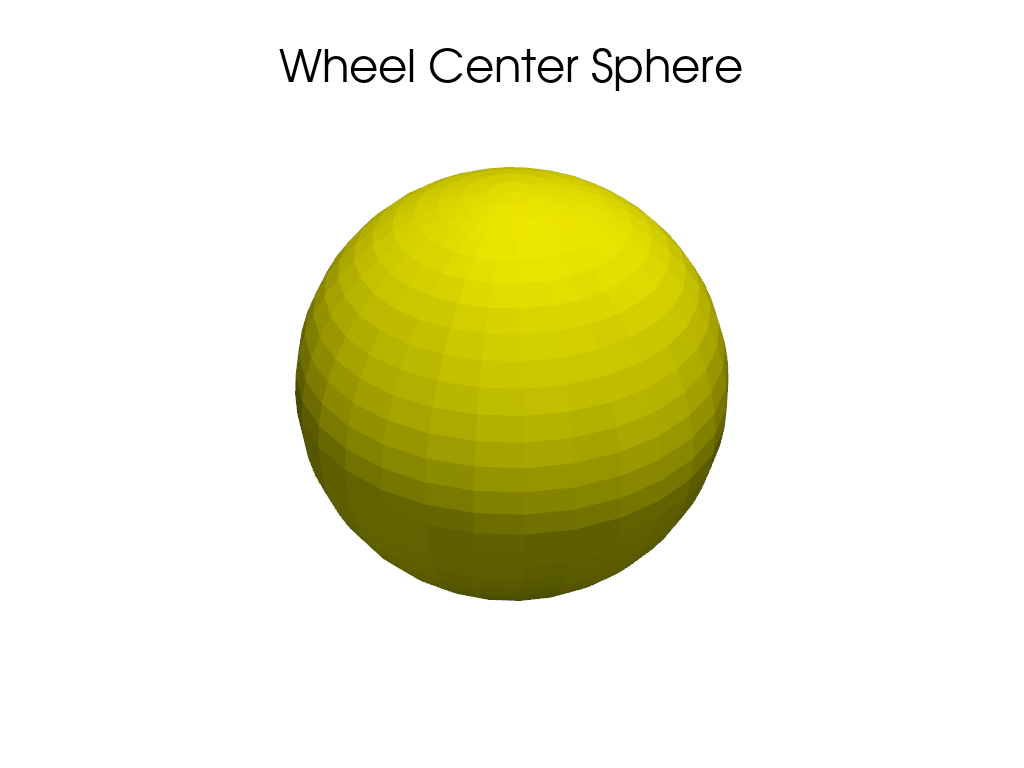
- pymycar.Cad.geometric_forms.simple_sphere(center, radius)[source]#
Generate a simple sphere.
- Parameters:
- centerarray-like
Coordinates of the center of the sphere.
- radiusfloat
Radius of the sphere.
- Returns:
- pv.MultiBlock
MultiBlock containing a Sphere representing the simple sphere.
Notes
The simple sphere is a Sphere centered at the specified point with the given radius.
Examples
Create a sphere at a specific coordinate and show it using PyVista.
>>> import numpy as np
>>> import pyvista as pv
>>> from pymycar.Cad import simple_sphere
>>> c = simple_sphere(np.array([941.5, -580.2, 155.1]), radius=10)
>>> plotter = pv.Plotter()
>>> plotter.add_mesh(c, color='yellow', name="Wheel Center Sphere")
>>> plotter.add_title("Wheel Center Sphere")
>>> plotter.show()
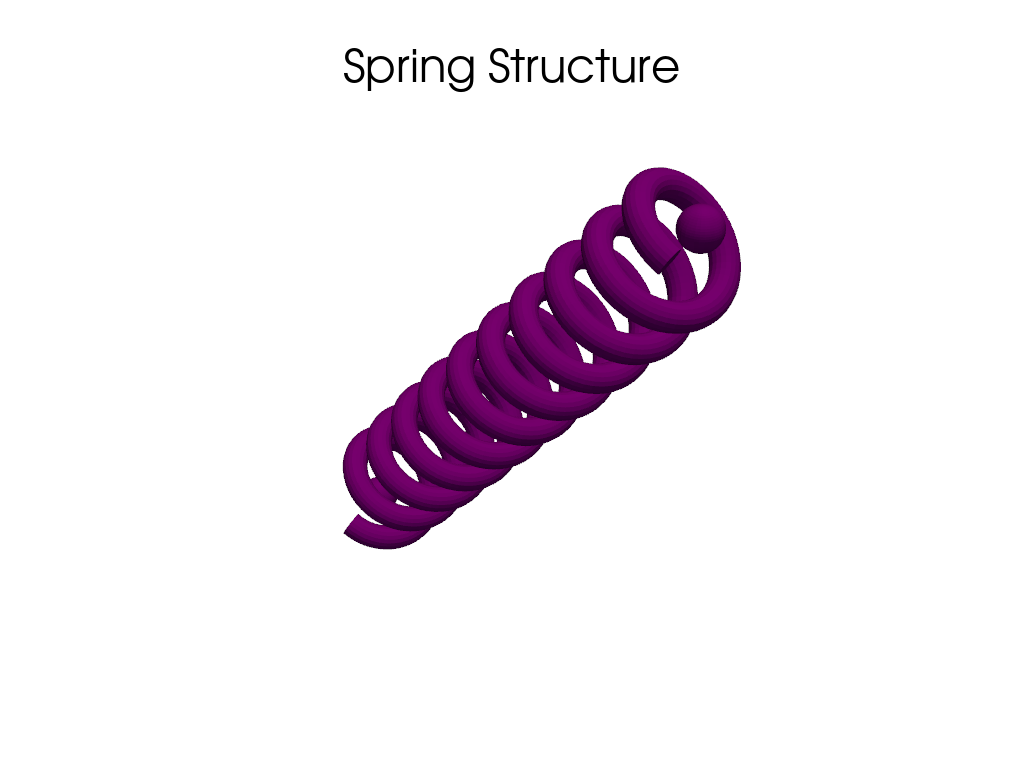
- pymycar.Cad.geometric_forms.simple_spring(point_a, point_b, radius=5, n_coils=10, spring_radius=15, n_points=500)[source]#
Generate a spring with a defined number of coils spiraling around a line.
- Parameters:
- point_aarray-like
Coordinates of the upper mounting point of the spring.
- point_barray-like
Coordinates of the lower mounting point of the spring.
- radiusfloat, optional
Radius of the wire Tube and mounting Spheres, by default 5.
- n_coilsint, optional
Number of complete spiral coils, by default 10.
- spring_radiusfloat, optional
The radius of the spiral itself, by default 15.
- n_pointsint, optional
The resolution (number of points) used to draw the spiral, by default 500.
- Returns:
- pv.MultiBlock
MultiBlock containing two Spheres and a spiral Tube representing the spring.
Notes
The spring is formed by two Spheres at the upper and lower mounting points and a spiral Tube generated as a parametric spline connecting them.
Examples
Create a spring structure mapping between two coordinates and show it using PyVista.
>>> import numpy as np
>>> import pyvista as pv
>>> from pymycar.Cad.geometric_forms import simple_spring
>>> d = simple_spring(np.array([831.7, -278.7, 251.2]), np.array([849.2, -419.1, 76.4]), radius=5, n_coils=10, spring_radius=20)
>>> plotter = pv.Plotter()
>>> plotter.add_mesh(d, color='purple', name="Spring")
>>> plotter.add_title("Spring Structure")
>>> plotter.show()
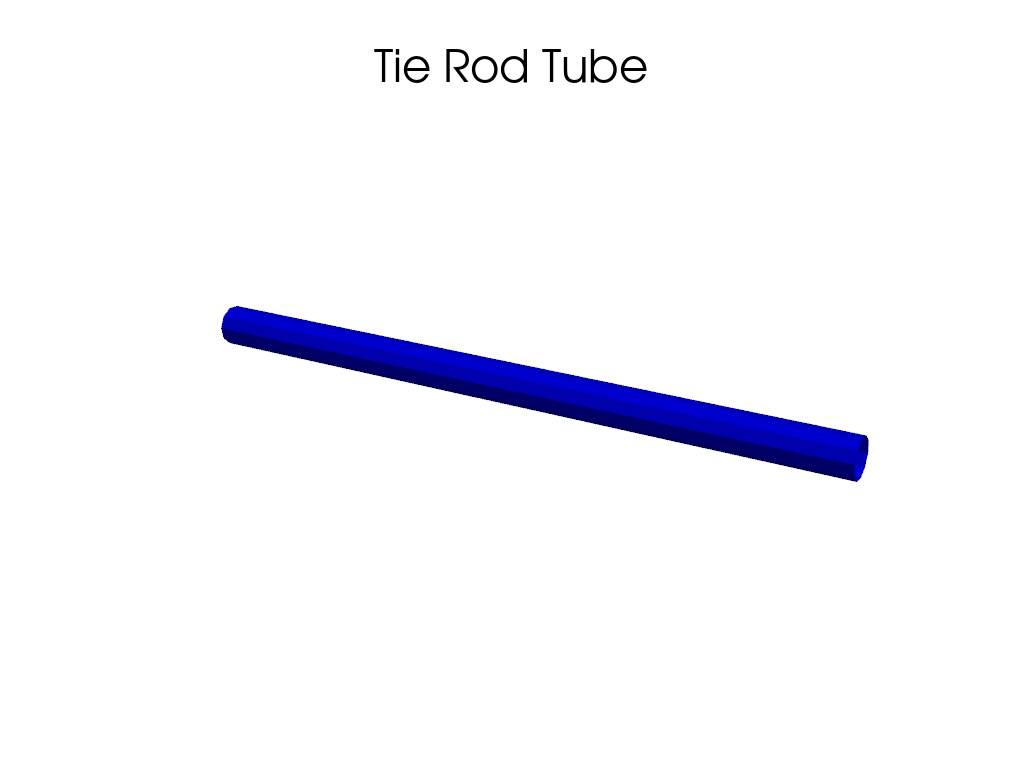
- pymycar.Cad.geometric_forms.simple_tube(point_a, point_b, radius=5, resolution=100, n_sides=10)[source]#
Generate a simple tube.
- Parameters:
- point_aarray-like
Coordinates of the first point of the tube.
- point_barray-like
Coordinates of the second point of the tube.
- radiusfloat, optional
Radius of the Tube, by default 5.
- resolutionint, optional
Resolution of the Tube, by default 100.
- n_sidesint, optional
Number of sides of the Tube, by default 10.
- Returns:
- pv.MultiBlock
MultiBlock containing a Tube representing the simple tube.
Notes
The simple tube is formed by a single Tube connecting point_a and point_b.
Examples
Create a tube between two coordinates and show it using PyVista.
>>> import numpy as np
>>> import pyvista as pv
>>> from pymycar.Cad import simple_tube
>>> tube = simple_tube(np.array([934.2, -192.1, 81.2]), np.array([1027.1, -513.7, 43.6]), radius=10, resolution=100, n_sides=10)
>>> plotter = pv.Plotter()
>>> plotter.add_mesh(tube, color='blue', name="Tie Rod Tube")
>>> plotter.add_title("Tie Rod Tube")
>>> plotter.show()
- pymycar.Cad.geometric_forms.spring(point_a, point_b, radius=5)[source]#
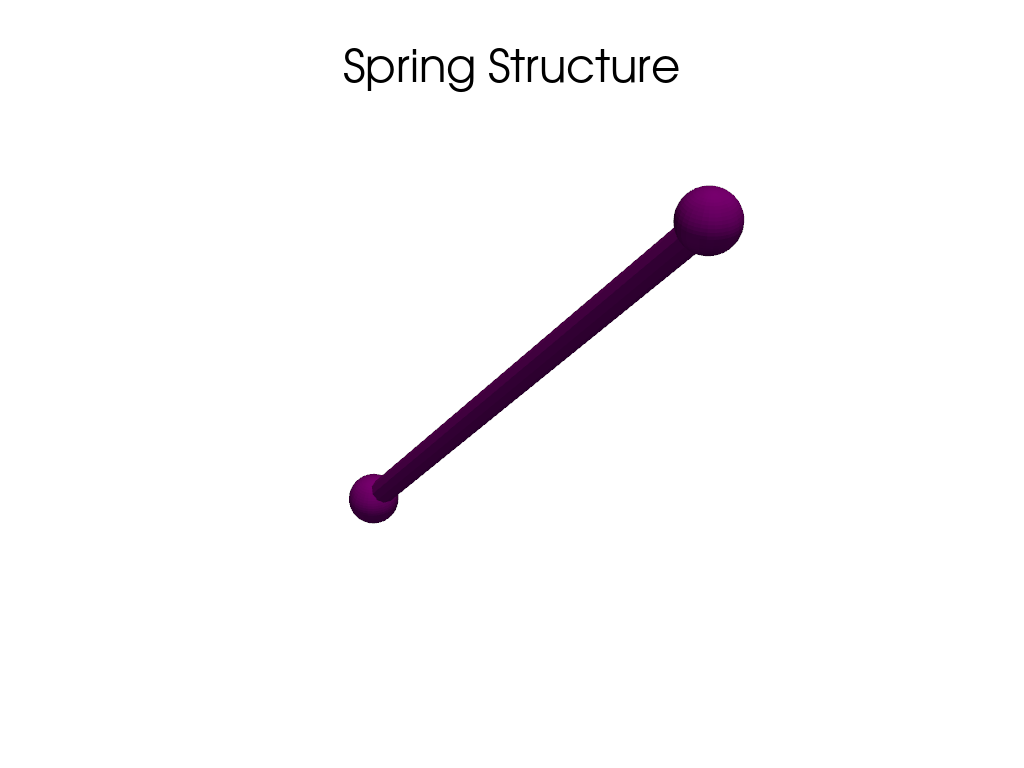
Generate a spring.
- Parameters:
- point_aarray-like
Coordinates of the upper mounting point of the spring.
- point_barray-like
Coordinates of the lower mounting point of the spring.
- radiusfloat, optional
Radius of the Spheres and the Tube, by default 10.
- Returns:
- pv.MultiBlock
MultiBlock containing two Spheres and a Tube representing the spring.
Notes
The spring is formed by two Spheres at the upper and lower mounting points and a Tube connecting them.
Examples
Create a spring structure mapping between two coordinates and show it using PyVista.
>>> import numpy as np
>>> import pyvista as pv
>>> from pymycar.Cad import spring
>>> d = spring(np.array([831.7, -278.7, 251.2]), np.array([849.2, -419.1, 76.4]), radius=10)
>>> plotter = pv.Plotter()
>>> plotter.add_mesh(d, color='purple', name="Spring")
>>> plotter.add_title("Spring Structure")
>>> plotter.show()
- pymycar.Cad.geometric_forms.spring_old(point_a, point_b, radius=10, coil_radius=10, n_coils=1, n_points=1000)[source]#
Generate a spring.
- Parameters:
- point_aarray-like
Coordinates of the upper mounting point of the spring.
- point_barray-like
Coordinates of the lower mounting point of the spring.
- radiusfloat, optional
Radius of the Spheres, by default 10.
- coil_radiusfloat, optional
Radius of the spring coil, by default 5.
- n_coilsint, optional
Number of coils in the spring, by default 10.
- n_pointsint, optional
Number of points to represent the spring coil, by default 100.
- Returns:
- pv.MultiBlock
MultiBlock containing two Spheres and a Helix representing the spring.
Notes
The spring is formed by two Spheres at the upper and lower mounting points and a Helix representing the spring coil.
Car#
Formula#
- pymycar.Cad.Car.frame.formula(front_axle_to_com=1500, rear_axle_to_com=822.5, front_track=750.0, rear_track=822.5, com_height=400.0, roll=0, pitch=0, yaw=0, x=0, y=0, z=0) MultiBlock[source]#
Generate a 3D model of a Formula vehicle chassis.
#                                                 ---
#---------------------------                      | |
#                            |                      | |
#                            ------------          | |
#                                        |          | |
#-----------   CoG               A      ----B-----|C|
#            |    *                *          *     |*|
#-----------                            ----------| |
#                                        |          | |
#                            ------------          | |
#                            |                      | |
#---------------------------                      | |
#                                                 ---
- Parameters:
- front_axle_to_comfloat, optional
Distance from the front axle to the center of mass (CoM).
- rear_axle_to_comfloat, optional
Distance from the rear axle to the center of mass (CoM).
- front_trackfloat, optional
Front track width.
- rear_trackfloat, optional
Rear track width.
- com_heightfloat, optional
Height of the center of mass (CoM).
- rollfloat, optional
Roll angle in radians.
- pitchfloat, optional
Pitch angle in radians.
- yawfloat, optional
Yaw angle in radians.
- xfloat, optional
X-coordinate of the center of mass (CoM).
- yfloat, optional
Y-coordinate of the center of mass (CoM).
- zfloat, optional
Z-coordinate of the center of mass (CoM).
- Returns:
- pv.MultiBlock
MultiBlock containing the chassis components.
Notes
The model consists of multiple boxes representing different parts of the vehicle chassis.
- pymycar.Cad.Car.frame.model_B(front_axle_to_com=1500, rear_axle_to_com=822.5, front_track=750.0, rear_track=822.5, com_height=400.0, roll=0, pitch=0, yaw=0, x=0, y=0, z=0) MultiBlock[source]#
Generate a 3D model of a different Formula vehicle chassis.
- Parameters:
- front_axle_to_comfloat, optional
Distance from the front axle to the center of mass (CoM).
- rear_axle_to_comfloat, optional
Distance from the rear axle to the center of mass (CoM).
- front_trackfloat, optional
Front track width.
- rear_trackfloat, optional
Rear track width.
- com_heightfloat, optional
Height of the center of mass (CoM).
- rollfloat, optional
Roll angle in radians.
- pitchfloat, optional
Pitch angle in radians.
- yawfloat, optional
Yaw angle in radians.
- xfloat, optional
X-coordinate of the center of mass (CoM).
- yfloat, optional
Y-coordinate of the center of mass (CoM).
- zfloat, optional
Z-coordinate of the center of mass (CoM).
- Returns:
- pv.MultiBlock
MultiBlock containing the chassis components.
Notes
The model consists of multiple boxes representing different parts of the vehicle chassis.
- pymycar.Cad.Car.frame.model_C(front_axle_to_com=822.5, rear_axle_to_com=822.5, front_track=822.5, rear_track=822.5, com_height=600.0, roll=0, pitch=0, yaw=0, x=0, y=0, z=0) MultiBlock[source]#
Generate a 3D model of a vehicle chassis.
#                 <---------- d2 --------->
#
#                   -------------------------
#                   |                       |
#          h2       |          *p1          |
#                   |                       |
#     ---------------                       |
# h1 |                 cog                  |
#    |                  * (x,y,z)           |
#    |                                      |
#    ---------------------------------------
#    <------------------ d1 --------------->
#
- Parameters:
- front_axle_to_comfloat, optional
Distance from the front axle to the center of mass (CoM).
- rear_axle_to_comfloat, optional
Distance from the rear axle to the center of mass (CoM).
- front_trackfloat, optional
Front track width.
- rear_trackfloat, optional
Rear track width.
- com_heightfloat, optional
Height of the center of mass (CoM).
- rollfloat, optional
Roll angle in radians.
- pitchfloat, optional
Pitch angle in radians.
- yawfloat, optional
Yaw angle in radians.
- xfloat, optional
X-coordinate of the center of mass (CoM).
- yfloat, optional
Y-coordinate of the center of mass (CoM).
- zfloat, optional
Z-coordinate of the center of mass (CoM).
- Returns:
- pv.MultiBlock
MultiBlock containing the chassis, cabin, and rear wheel.
Notes
The model consists of a chassis, a cabin, and a rear wheel, all represented as 3D geometric shapes.
Double Wishbone Visualization#
This module provides utilities for visualizing a double wishbone suspension system using PyVista. It includes functions to construct the CAD representation of the system components such as control arms, wheel, springs, and other suspension parts.
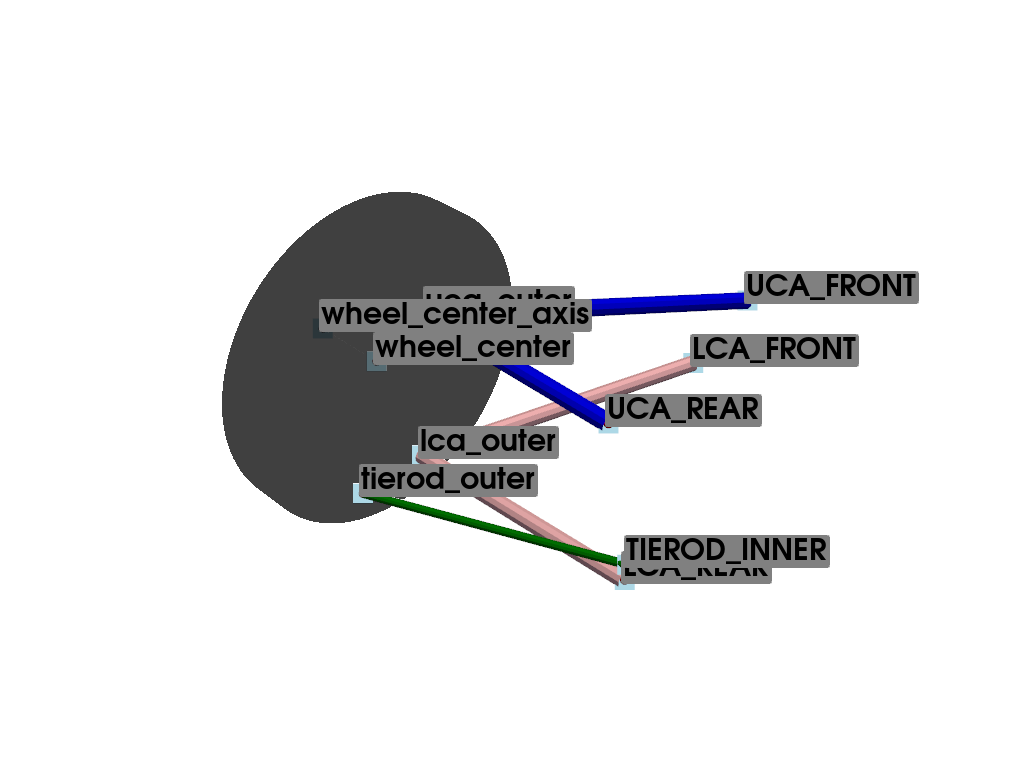
- pymycar.Cad.Car.double_whisbone.whisbone_cad_base(data, index=None)[source]#
Generates the base components of the suspension system.
#
#                    \\
#                    \-/
#             UCA_REAR*
#                    /
#                   /
#   -----------    /
#    |       |    /
#    |       |   *----------*UCA_FRONT
#    |       | uca_outer   /⁻\.
#    |       |             ///
#    |       |
#    |   wheel_center
#  *-.-.-*   |        tierod_outer
# wheel_center_axis    *--------------------*TIEROD_INNER
#    |       |
#    |       |
#    |       |       lca_outer
#    |       |      *------------*LCA_REAR
#   -----------     \           /⁻\.
#                    \          ///
#                     \.
#                      *LCA_FRONT
#                     /⁻\.
#                     ///
Name
Description
UCA_FRONT
upper control arm front
UCA_REAR
upper control arm rear
LCA_FRONT
lower control arm front
LCA_REAR
lower control arm rear
TIEROD_INNER
tierod inner
uca_outer
upper control arm outer
lca_outer
lower control arm outer
tierod_outer
tierod outer
wheel_center
center of the wheel
wheel_center_axis
axis of the wheel
- Parameters:
- datadict
Dictionary containing suspension geometry data.
- indexint
Index of the current data point.
- Returns:
- tuple
A tuple containing: - upper_control_arm : pyvista.PolyData - lower_control_arm : pyvista.PolyData - direction : pyvista.PolyData - wheel_center : pyvista.PolyData
Examples
Create a base double wishbone suspension visualization.
>>> import numpy as np
>>> import pyvista as pv
>>> from pymycar.Cad.Car.double_whisbone import whisbone_cad_base
Define the suspension geometry points.
>>> data = {
...     "UCA_FRONT": np.array([586.7, -314.5, 199.9]),
...     "UCA_REAR": np.array([930.7, -230.2, 244.2]),
...     "LCA_FRONT": np.array([588.7, -384.2, 76.8]),
...     "LCA_REAR": np.array([938.2, -191.2, 62.7]),
...     "TIEROD_INNER": np.array([934.2, -192.1, 81.2]),
...     "uca_outer": [np.array([953.0, -474.2, 272.2])],
...     "lca_outer": [np.array([934.8, -514.7, 47.9])],
...     "tierod_outer": [np.array([1027.1, -513.7, 43.6])],
...     "wheel_center": [np.array([941.5, -580.2, 155.1])],
...     "wheel_center_axis": [np.array([941.5, -680.2, 155.1])]
... }
Generate the CAD elements and a representation of the wheel.
>>> upper_control_arm, lower_control_arm, direction, wheel_center, wheel_axis = whisbone_cad_base(data, 0)
>>> wheel = pv.Cylinder(center=data["wheel_center"][0], direction=(0, 1, 0), height=50, radius=200)
Initialize the plotter and add the generated meshes.
>>> plotter = pv.Plotter()
>>> plotter.add_mesh(upper_control_arm, color="blue")
>>> plotter.add_mesh(lower_control_arm, color="pink")
>>> plotter.add_mesh(direction, color="green")
>>> plotter.add_mesh(wheel, color="black", opacity=0.5)
>>> plotter.add_mesh(wheel_axis, color="gray", opacity=0.5)
>>> for name, coord in data.items():
...     pts = coord[0] if isinstance(coord, list) else coord
...     plotter.add_mesh(pv.Sphere(radius=5, center=pts), color='red')
...     plotter.add_point_labels([pts], [name], point_size=20, font_size=30, text_color='black', always_visible=True)
>>> plotter.show()
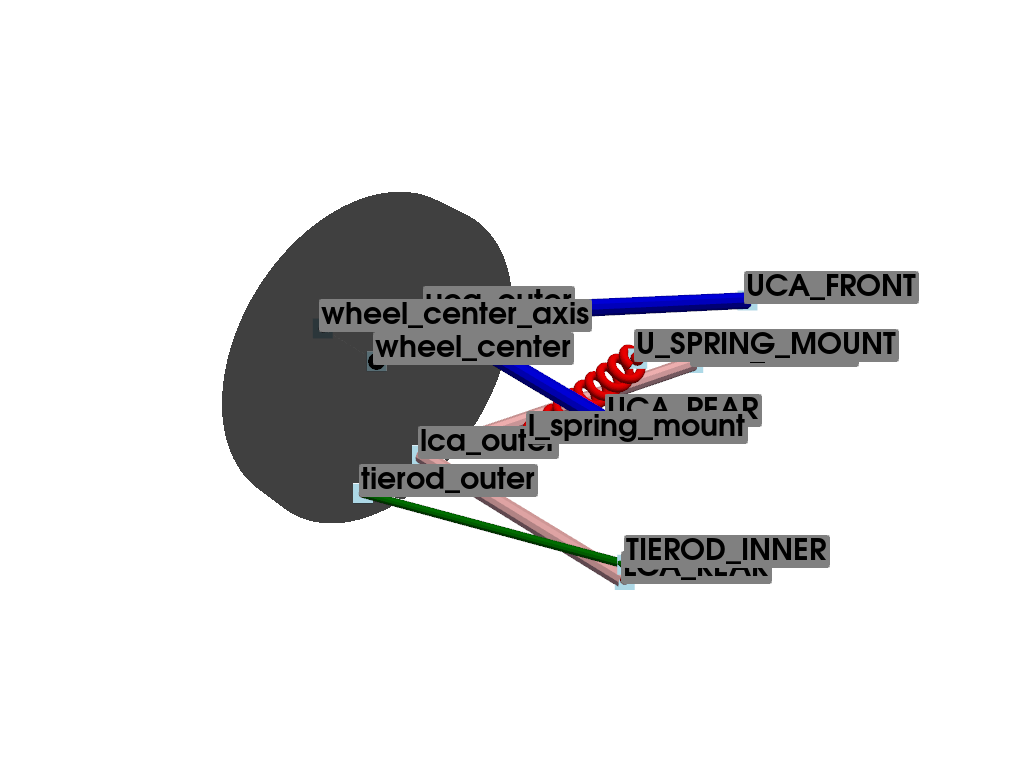
- pymycar.Cad.Car.double_whisbone.whisbone_cad_configuration_1(data, index=None)[source]#
Creates a suspension system configuration with a spring.
#
#                    \\
#                    \-/
#             UCA_REAR*
#                    /
#                   /
#   -----------    /
#    |       |    /
#    |       |   *----------*UCA_FRONT
#    |       | uca_outer   /⁻\.
#    |       |             ///
#    |       |
#    |       |
#    |       |        tierod_outer
#    |       |       *--------------------*TIEROD_INNER
#    |       |
#    |       |
#    |       |       lca_outer
#    |       |      *------------*LCA_REAR
#   -----------     \           /⁻\.
#                    \          ///
#                     \.
#                      *LCA_FRONT
#                     /⁻\.
#                     ///
Name
Description
UCA_FRONT
upper control arm front
UCA_REAR
upper control arm rear
LCA_FRONT
lower control arm front
LCA_REAR
lower control arm rear
TIEROD_INNER
tierod inner
uca_outer
upper control arm outer
lca_outer
lower control arm outer
tierod_outer
tierod outer
U_SPRING_MOUNT
upper spring mount
l_spring_mount
lower spring mount
- Parameters:
- datadict
Dictionary containing suspension geometry data.
- indexint
Index of the current data point.
- Returns:
- tuple
A tuple containing: - upper_control_arm : pyvista.PolyData - lower_control_arm : pyvista.PolyData - direction : pyvista.PolyData - wheel_center : pyvista.PolyData - spring_o : pyvista.PolyData
Examples
Create a base double wishbone suspension with a spring visualization.
>>> import numpy as np
>>> import pyvista as pv
>>> from pymycar.Cad.Car.double_whisbone import whisbone_cad_configuration_1
Define the suspension geometry points.
>>> data = {
...     "UCA_FRONT": np.array([586.7, -314.5, 199.9]),
...     "UCA_REAR": np.array([930.7, -230.2, 244.2]),
...     "LCA_FRONT": np.array([588.7, -384.2, 76.8]),
...     "LCA_REAR": np.array([938.2, -191.2, 62.7]),
...     "TIEROD_INNER": np.array([934.2, -192.1, 81.2]),
...     "uca_outer": [np.array([953.0, -474.2, 272.2])],
...     "lca_outer": [np.array([934.8, -514.7, 47.9])],
...     "tierod_outer": [np.array([1027.1, -513.7, 43.6])],
...     "wheel_center": [np.array([941.5, -580.2, 155.1])],
...     "wheel_center_axis": [np.array([941.5, -680.2, 155.1])],
...     "U_SPRING_MOUNT": np.array([831.7, -278.7, 251.2]),
...     "l_spring_mount": [np.array([849.2, -419.1, 76.4])]
... }
Generate the CAD elements and a representation of the wheel.
>>> upper_control_arm, lower_control_arm, direction, wheel_center, wheel_axis, spring_o = whisbone_cad_configuration_1(data, 0)
>>> wheel = pv.Cylinder(center=data["wheel_center"][0], direction=(0, 1, 0), height=50, radius=200)
Initialize the plotter and add the generated meshes.
>>> plotter = pv.Plotter()
>>> plotter.add_mesh(upper_control_arm, color="blue")
>>> plotter.add_mesh(lower_control_arm, color="pink")
>>> plotter.add_mesh(direction, color="green")
>>> plotter.add_mesh(wheel_center, color="black")
>>> plotter.add_mesh(wheel_axis, color="gray", opacity=0.5)
>>> plotter.add_mesh(spring_o, color="red")
>>> plotter.add_mesh(wheel, color="black", opacity=0.5)
>>> for name, coord in data.items():
...     pts = coord[0] if isinstance(coord, list) else coord
...     plotter.add_mesh(pv.Sphere(radius=5, center=pts), color='red')
...     plotter.add_point_labels([pts], [name], point_size=20, font_size=30, text_color='black', always_visible=True)
>>> plotter.show()
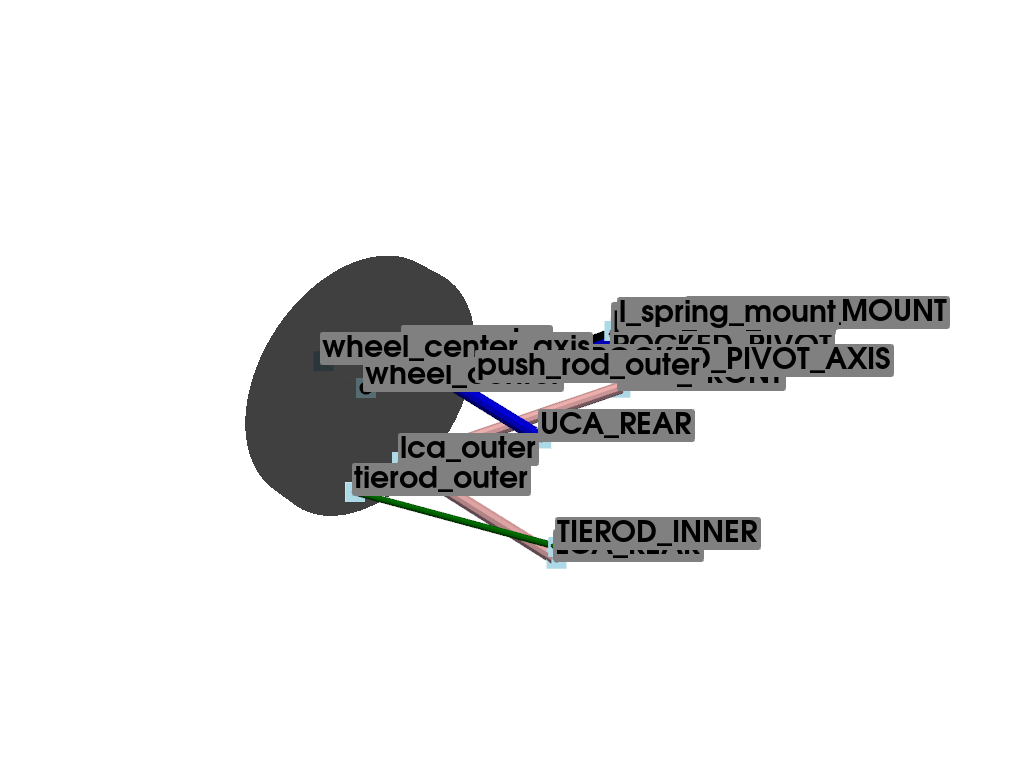
- pymycar.Cad.Car.double_whisbone.whisbone_cad_configuration_2(data, index=None)[source]#
Creates a suspension system configuration with a rocker, push rod, and spring.
#
#                    \\
#                    \-/
#             UCA_REAR*
#                    /
#                   /
#   -----------    /
#    |       |    /
#    |       |   *----------*UCA_FRONT
#    |       | uca_outer   /⁻\.
#    |       |             ///
#    |       |
#    |       |
#    |       |        tierod_outer
#    |       |       *--------------------*TIEROD_INNER
#    |       |
#    |       |
#    |       |       lca_outer
#    |       |      *------------*LCA_REAR
#   -----------     \           /⁻\.
#                    \          ///
#                     \.
#                      *LCA_FRONT
#                     /⁻\.
#                     ///
Name
Description
UCA_FRONT
upper control arm front
UCA_REAR
upper control arm rear
LCA_FRONT
lower control arm front
LCA_REAR
lower control arm rear
TIEROD_INNER
tierod inner
uca_outer
upper control arm outer
lca_outer
lower control arm outer
tierod_outer
tierod outer
ROCKED_PIVOT
rocked pivot
ROCKED_PIVOT_AXIS
rocked pivot axis
U_SPRING_MOUNT
upper spring mount
push_rod_outer
push rod outer
push_rod_inner
push rod inner
l_spring_mount
lower spring mount
- Parameters:
- datadict
Dictionary containing suspension geometry data.
- indexint
Index of the current data point.
- Returns:
- tuple
A tuple containing: - upper_control_arm : pyvista.PolyData - lower_control_arm : pyvista.PolyData - direction : pyvista.PolyData - wheel_center : pyvista.PolyData - spring_o : pyvista.PolyData - push_rod : pyvista.PolyData - rocked_o : pyvista.PolyData
Examples
Create a base double wishbone suspension with a rocker, push rod, and spring visualization.
>>> import numpy as np
>>> import pyvista as pv
>>> from pymycar.Cad.Car.double_whisbone import whisbone_cad_configuration_2
Define the suspension geometry points.
>>> data = {
...     "UCA_FRONT": np.array([586.7, -314.5, 199.9]),
...     "UCA_REAR":  np.array([930.7, -230.2, 244.2]),
...     "LCA_FRONT": np.array([588.7, -384.2, 76.8]),
...     "LCA_REAR": np.array([938.2, -191.2, 62.7]),
...     "TIEROD_INNER": np.array([934.2,  -192.1,  81.2]),
...     "ROCKED_PIVOT": np.array([901.0, -139.00, 399.0]),
...     "ROCKED_PIVOT_AXIS": np.array([941.0, -139.00, 399.0]),
...     "U_SPRING_MOUNT": np.array([901.0,  -29.50, 499.0]),
...     "uca_outer": [np.array([953.0, -474.2, 272.2])],
...     "lca_outer": [np.array([934.8, -514.7, 47.9])],
...     "tierod_outer": [np.array([1027.1, -513.7, 43.6])],
...     "wheel_center": [np.array([941.5, -580.2, 155.1])],
...     "wheel_center_axis": [np.array([941.5, -680.2, 155.1])],
...     "push_rod_outer": [np.array([901.0, -379.00, 250.0])],
...     "push_rod_inner": [np.array([901.0, -139.00, 441.0])],
...     "l_spring_mount": [np.array([901.0, -130.20, 451.0])]
... }
Generate the CAD elements and a representation of the wheel.
>>> upper_control_arm, lower_control_arm, direction, wheel_center, wheel_axis, spring_o, push_rod, rocked_o = whisbone_cad_configuration_2(data, 0)
>>> wheel = pv.Cylinder(center=data["wheel_center"][0], direction=(0, 1, 0), height=50, radius=200)
Initialize the plotter and add the generated meshes.
>>> plotter = pv.Plotter()
>>> plotter.add_mesh(upper_control_arm, color="blue")
>>> plotter.add_mesh(lower_control_arm, color="pink")
>>> plotter.add_mesh(direction, color="green")
>>> plotter.add_mesh(wheel_center, color="black")
>>> plotter.add_mesh(wheel_axis, color="gray", opacity=0.5)
>>> plotter.add_mesh(spring_o, color="red")
>>> plotter.add_mesh(push_rod, color="black")
>>> plotter.add_mesh(rocked_o, color="yellow")
>>> plotter.add_mesh(wheel, color="black", opacity=0.5)
>>> for name, coord in data.items():
...     pts = coord[0] if isinstance(coord, list) else coord
...     plotter.add_mesh(pv.Sphere(radius=5, center=pts), color='red')
...     plotter.add_point_labels([pts], [name], point_size=20, font_size=30, text_color='black', always_visible=True)
>>> plotter.show()
Multilink Visualization#
This module provides utilities for visualizing a double wishbone suspension system using PyVista. It includes functions to construct the CAD representation of the system components such as control arms, wheel, springs, and other suspension parts.
- pymycar.Cad.Car.multilink.multilink_cad_base(data, index=None)[source]#
Generates the base components of the suspension system.
#
#                    \\
#                    \-/
#             UCA_REAR*
#                    /
#                   /
#   -----------    * uca_outer
#    |       |
#    |       |   *-------------*UCA_FRONT
#    |       | uca_outer      /⁻\
#    |       |                ///
#    |       |
#    |       |
#    |       |        tierod_outer
#    |       |       *--------------------*TIEROD_INNER
#    |       |
#    |       |
#    |       |       lca_outer_aux
#    |       |      *------------*LCA_REAR
#   -----------                 /⁻\.
#          lca_outer *          ///
#                     \.
#                      *LCA_FRONT
#                     /⁻\.
#                     ///
Points Name
Description
Type
wheel center
Center of the Wheel
mobile
UCA FRONT
Upper Control Arm Front
fixed
UCA REAR
Upper Control Arm Rear
fixed
uca outer
Upper Control Arm Outer
mobile
LCA FRONT
Lower Control Arm Front
fixed
LCA REAR
Lower Control Arm Rear
fixed
lca outer
Lower Control Arm Outer
mobile
TIEROD INNER
Inner Tie Rod
fixed
tierod outer
Outer Tie Rod
mobile
uca outer aux
Upper Control Arm Outer aux
mobile
lca outer aux
Lower Control Arm Outer aux
mobile
- Parameters:
- datadict
Dictionary containing suspension geometry data.
- indexint
Index of the current data point.
- Returns:
- tuple
A tuple containing: - upper_control_arm : pyvista.PolyData - lower_control_arm : pyvista.PolyData - direction : pyvista.PolyData - wheel_center : pyvista.PolyData
- pymycar.Cad.Car.multilink.multilink_cad_configuration_1(data, index=None)[source]#
Generates the base components of the suspension system.
#
#                    \\
#                    \-/
#             UCA_REAR*
#                    /
#                   /
#   -----------    * uca_outer
#    |       |
#    |       |   *-------------*UCA_FRONT
#    |       | uca_outer      /⁻\
#    |       |                ///
#    |       | l_spring_mount
#    |       |*---------------------------*U_SPRING_MOUNT
#    |       |        tierod_outer
#    |       |       *--------------------*TIEROD_INNER
#    |       |
#    |       |
#    |       |       lca_outer_aux
#    |       |      *------------*LCA_REAR
#   -----------                 /⁻\.
#          lca_outer *          ///
#                     \.
#                      *LCA_FRONT
#                     /⁻\.
#                     ///
Points Name
Description
Type
wheel center
Center of the Wheel
mobile
UCA FRONT
Upper Control Arm Front
fixed
UCA REAR
Upper Control Arm Rear
fixed
uca outer
Upper Control Arm Outer
mobile
LCA FRONT
Lower Control Arm Front
fixed
LCA REAR
Lower Control Arm Rear
fixed
lca outer
Lower Control Arm Outer
mobile
TIEROD INNER
Inner Tie Rod
fixed
tierod outer
Outer Tie Rod
mobile
uca outer aux
Upper Control Arm Outer aux
mobile
lca outer aux
Lower Control Arm Outer aux
mobile
U SPRING MOUNT
Upper Spring Mount
fixed
l spring mount
Lower Spring Mount
mobile
- Parameters:
- datadict
Dictionary containing suspension geometry data.
- indexint
Index of the current data point.
- Returns:
- tuple
A tuple containing: - upper_control_arm : pyvista.PolyData - lower_control_arm : pyvista.PolyData - direction : pyvista.PolyData - wheel_center : pyvista.PolyData
Motorcycle#
Motorbike Chassis Visualization#
- pymycar.Cad.MotorCycle.frame.frame_cad_base(data, index=None)[source]#
Generate a control arm.
- Parameters:
- uca_frontarray-like
Coordinates of the front point of the control arm.
- uca_reararray-like
Coordinates of the rear point of the control arm.
- uca_outer_iarray-like
Coordinates of the outer point of the control arm.
- radiusfloat, optional
Radius of the Tubes, by default 10.
- resolutionint, optional
Resolution of the Tubes, by default 100.
- n_sidesint, optional
Number of sides of the Tubes, by default 10.
- Returns:
- pv.MultiBlock
MultiBlock containing two Tubes representing the control arm.
Notes
The control arm is formed by two Tubes connecting the front and rear points to the outer point.
Motorbike Front Assembly Visualization#
- pymycar.Cad.MotorCycle.front_assembly.fork_front_suspension(data, index=None)[source]#
Creates the CAD visualization for a front fork suspension.
#
#
#    fork_left_upper *
#                    |    * STEERING_AXIS_TOP
#                    |     \
#                    |      * STEERING_AXIS_BOTTOM
#                    |
#                    |         * fork_right_upper
#                    |         |
#   fork_left_middle *         |
#                    |         |
#                    |         |
#                    |         |
#  fork_left_bottom  *         * fork_right_middle
#                      \       |
#                       \      |
#     wheel_center_front *     |
#                          \   |
#                            \ |
#                              *fork_right_bottom
#
#
#
Points Name
Description
Type
wheel_center_front
Center of the Wheel
mobile
STEERING_AXIS_TOP
Steering axis top point
fixed
STEERING_AXIS_BOTTOM
Steering axis bottom point
fixed
fork_right_upper
Fork right upper attachment
mobile
fork_left_upper
Fork left upper attachment
mobile
fork_right_middle
Fork right middle attachment
mobile
fork_left_middle
Fork left middle attachment
mobile
fork_right_bottom
Fork right bottom attachment
mobile
fork_left_bottom
Fork left bottom attachment
mobile
- Parameters:
- datadict
Dictionary containing suspension geometry data points.
- indexint, optional
Index of the current data point in the data arrays. Default is None.
- Returns:
- tuple
A tuple containing the following PyVista PolyData/MultiBlock objects: - bar_right_top : pyvista.PolyData - bar_left_top : pyvista.PolyData - U_form : pyvista.MultiBlock - steer_axis : pyvista.PolyData
Examples
- pymycar.Cad.MotorCycle.front_assembly.fork_front_suspension_steer(data, index=None)[source]#
Creates the CAD visualization for a front fork suspension.
#
#
#    fork_left_upper *
#                    |    * STEERING_AXIS_TOP
#                    |     \
#                    |      * STEERING_AXIS_BOTTOM
#                    |
#                    |         * fork_right_upper
#                    |         |
#   fork_left_middle *         |
#                    |         |
#                    |         |
#                    |         |
#  fork_left_bottom  *         * fork_right_middle
#                      \       |
#                       \      |
#     wheel_center_front *     |
#                          \   |
#                            \ |
#                              *fork_right_bottom
#
#
#
Points Name
Description
Type
wheel_center_front
Center of the Wheel
mobile
STEERING_AXIS_TOP
Steering axis top point
fixed
STEERING_AXIS_BOTTOM
Steering axis bottom point
fixed
fork_right_upper
Fork right upper attachment
mobile
fork_left_upper
Fork left upper attachment
mobile
fork_right_middle
Fork right middle attachment
mobile
fork_left_middle
Fork left middle attachment
mobile
fork_right_bottom
Fork right bottom attachment
mobile
fork_left_bottom
Fork left bottom attachment
mobile
- Parameters:
- datadict
Dictionary containing suspension geometry data points.
- indexint, optional
Index of the current data point in the data arrays. Default is None.
- Returns:
- tuple
A tuple containing the following PyVista PolyData/MultiBlock objects: - bar_right_top : pyvista.PolyData - bar_left_top : pyvista.PolyData - U_form : pyvista.MultiBlock - steer_axis : pyvista.PolyData
Examples
Motorbike Rear Assembly Visualization#
- pymycar.Cad.MotorCycle.rear_assembly.rear_suspension_cantilever(data, index=None)[source]#
Creates a suspension system configuration with a spring.
- Parameters:
- datadict
Dictionary containing suspension geometry data.
- indexint
Index of the current data point.
- Returns:
- tuple
A tuple containing: - upper_control_arm : pyvista.PolyData - lower_control_arm : pyvista.PolyData - direction : pyvista.PolyData - wheel_center_rear : pyvista.PolyData - spring_o : pyvista.PolyData
- pymycar.Cad.MotorCycle.rear_assembly.rear_suspension_new(data, index=None)[source]#
Creates a suspension system configuration with a spring.
- Parameters:
- datadict
Dictionary containing suspension geometry data.
- indexint
Index of the current data point.
- Returns:
- tuple
A tuple containing: - upper_control_arm : pyvista.PolyData - lower_control_arm : pyvista.PolyData - direction : pyvista.PolyData - wheel_center_rear : pyvista.PolyData - spring_o : pyvista.PolyData
- pymycar.Cad.MotorCycle.rear_assembly.swingarm_cad_base(data, index=None)[source]#
Generate a control arm.
- Parameters:
- uca_frontarray-like
Coordinates of the front point of the control arm.
- uca_reararray-like
Coordinates of the rear point of the control arm.
- uca_outer_iarray-like
Coordinates of the outer point of the control arm.
- radiusfloat, optional
Radius of the Tubes, by default 10.
- resolutionint, optional
Resolution of the Tubes, by default 100.
- n_sidesint, optional
Number of sides of the Tubes, by default 10.
- Returns:
- pv.MultiBlock
MultiBlock containing two Tubes representing the control arm.
Notes
The control arm is formed by two Tubes connecting the front and rear points to the outer point.